> ## Documentation Index
> Fetch the complete documentation index at: https://docs.snowbell.ai/llms.txt
> Use this file to discover all available pages before exploring further.

# 3.2 Add test cases to query set from playground

> If you find interesting test cases in Prompt Playground, you can save them for future use by adding them to a query set.

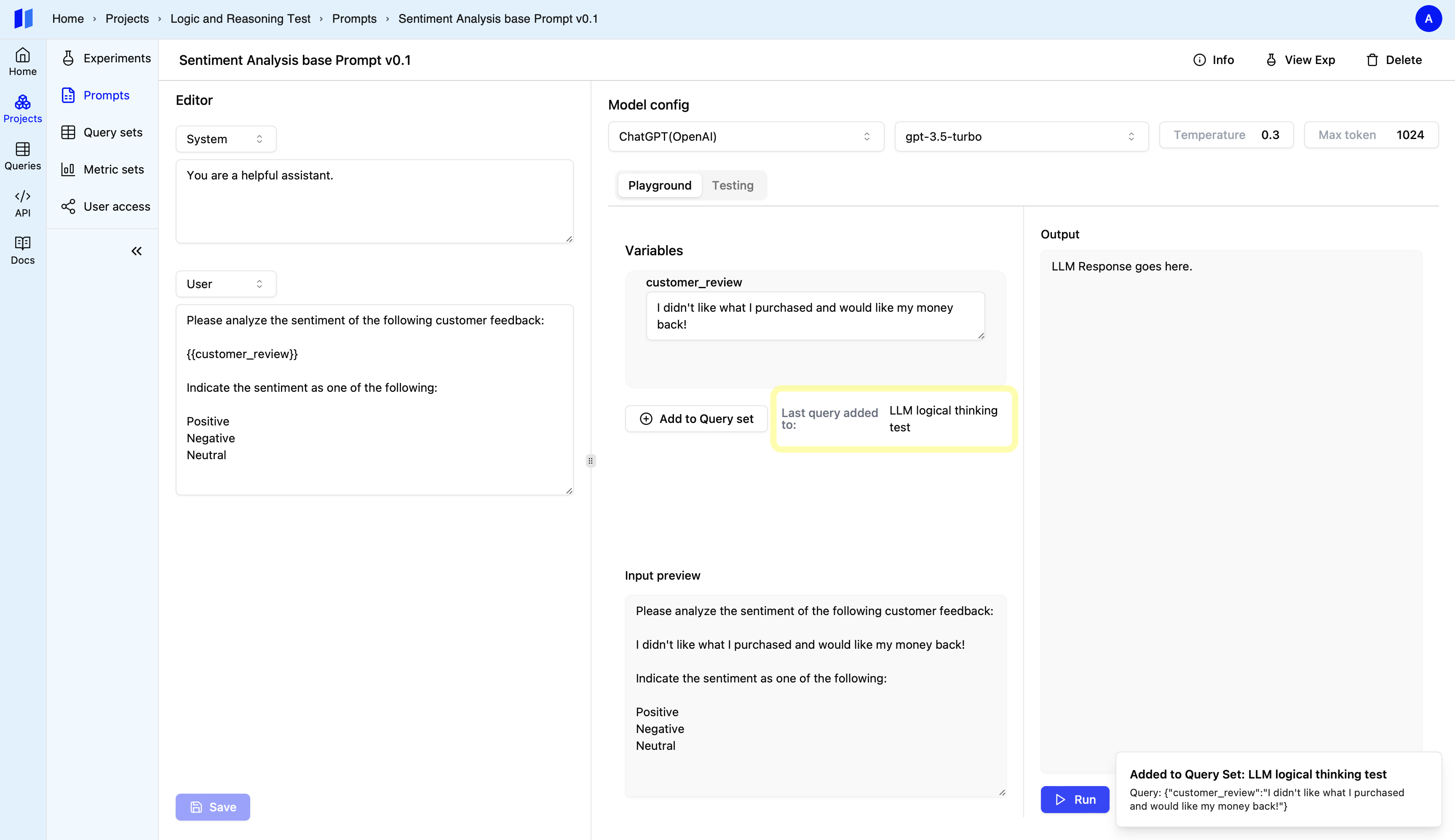
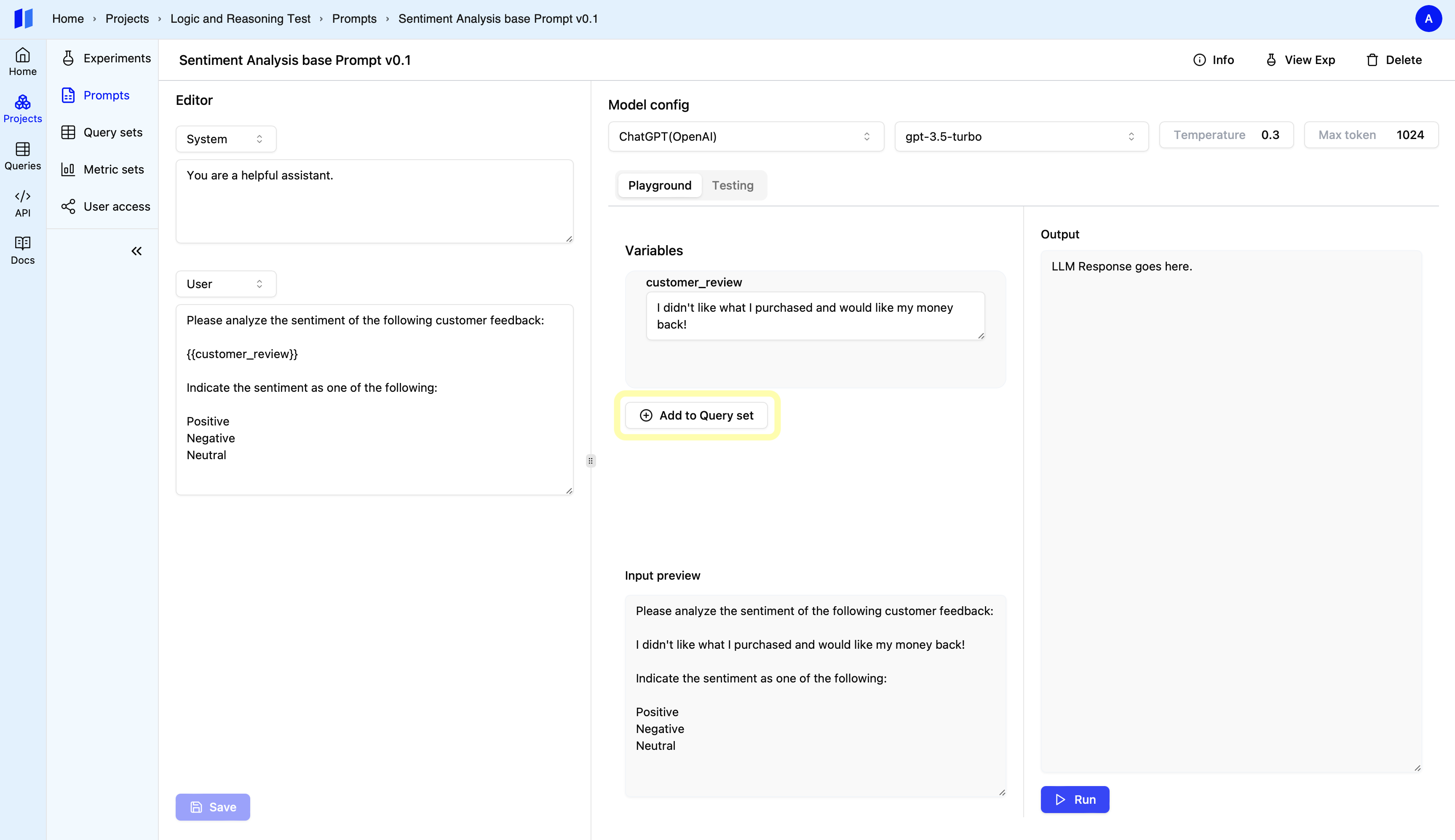
### Step 1: Click `Add to Query Set` button

After running a test case, click the "Add to Query Set" button.
<img style={{ borderRadius: "0.5rem", border: "1px solid #E5E5E5" }} src="https://mintcdn.com/snowbell-84/TFBWUXB9zdCgLDNc/images/setup/queryset1.png?fit=max&auto=format&n=TFBWUXB9zdCgLDNc&q=85&s=4107609b0216dc401260b7d03e96e2b6" width="3454" height="1994" data-path="images/setup/queryset1.png" />

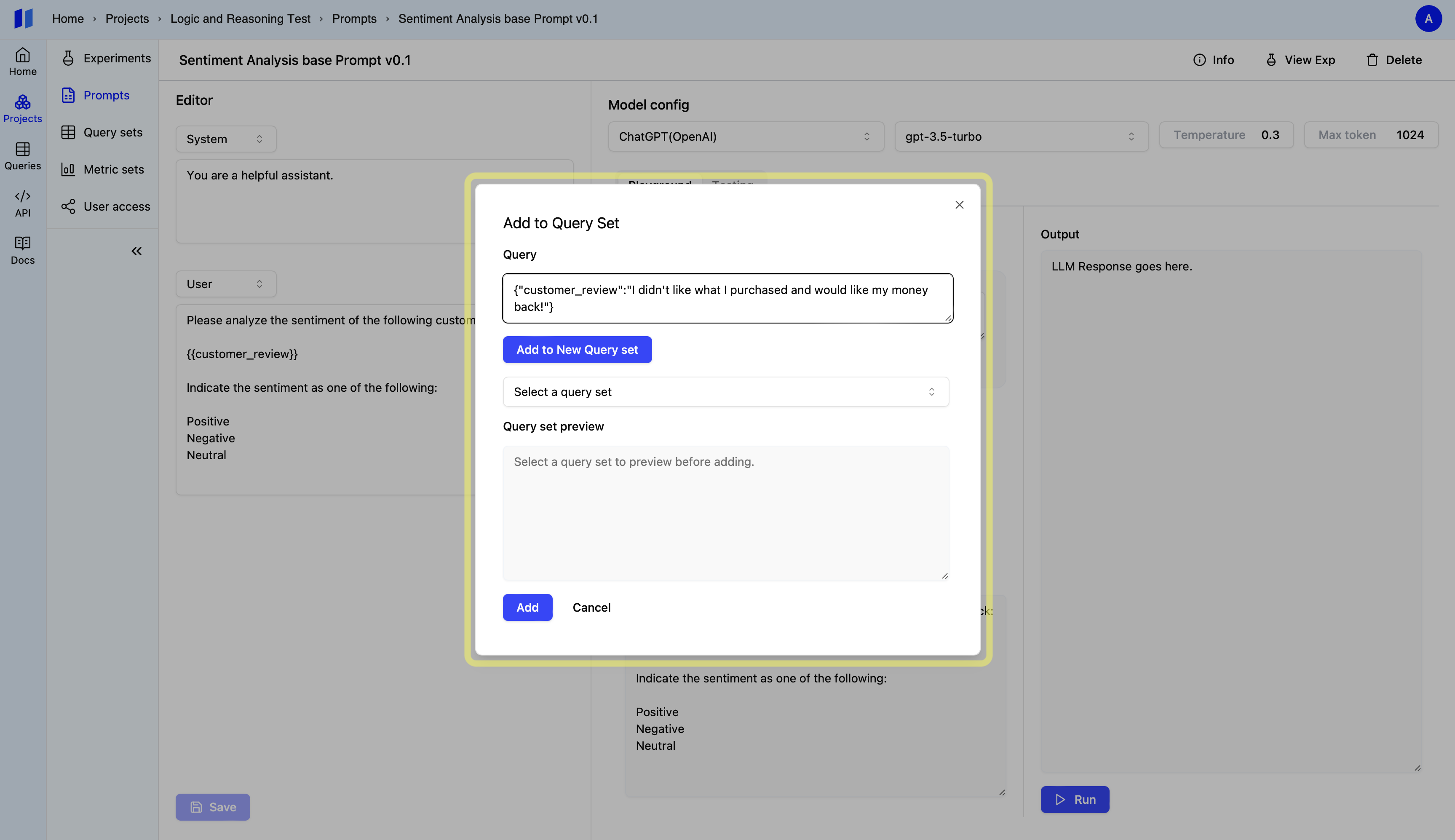
### Step 2: Choose an Option:

* **Existing Query Set:** Select an existing query set to add your test case
  to. <br />
* **New Query Set:** Generate a brand new query set to store your test case.
  <img style={{ borderRadius: "0.5rem", border: "1px solid #E5E5E5" }} src="https://mintcdn.com/snowbell-84/TFBWUXB9zdCgLDNc/images/setup/queryset2.png?fit=max&auto=format&n=TFBWUXB9zdCgLDNc&q=85&s=112f24c5229f78b10609ea5bd57f187d" width="3454" height="1994" data-path="images/setup/queryset2.png" />
  <img style={{ borderRadius: "0.5rem", border: "1px solid #E5E5E5" }} src="https://mintcdn.com/snowbell-84/TFBWUXB9zdCgLDNc/images/setup/queryset5.png?fit=max&auto=format&n=TFBWUXB9zdCgLDNc&q=85&s=528e78788626ea578481f83ccced52f1" width="3454" height="1994" data-path="images/setup/queryset5.png" />