> ## Documentation Index
> Fetch the complete documentation index at: https://docs.snowbell.ai/llms.txt
> Use this file to discover all available pages before exploring further.
# 3.4 Prompt testing
> Save time and resources by quickly verifying your prompt's functionality with unit testing:
## Launch an experiment with a small testing query set.
### Step 1: Stay on the `Testing` tab in promt Testing
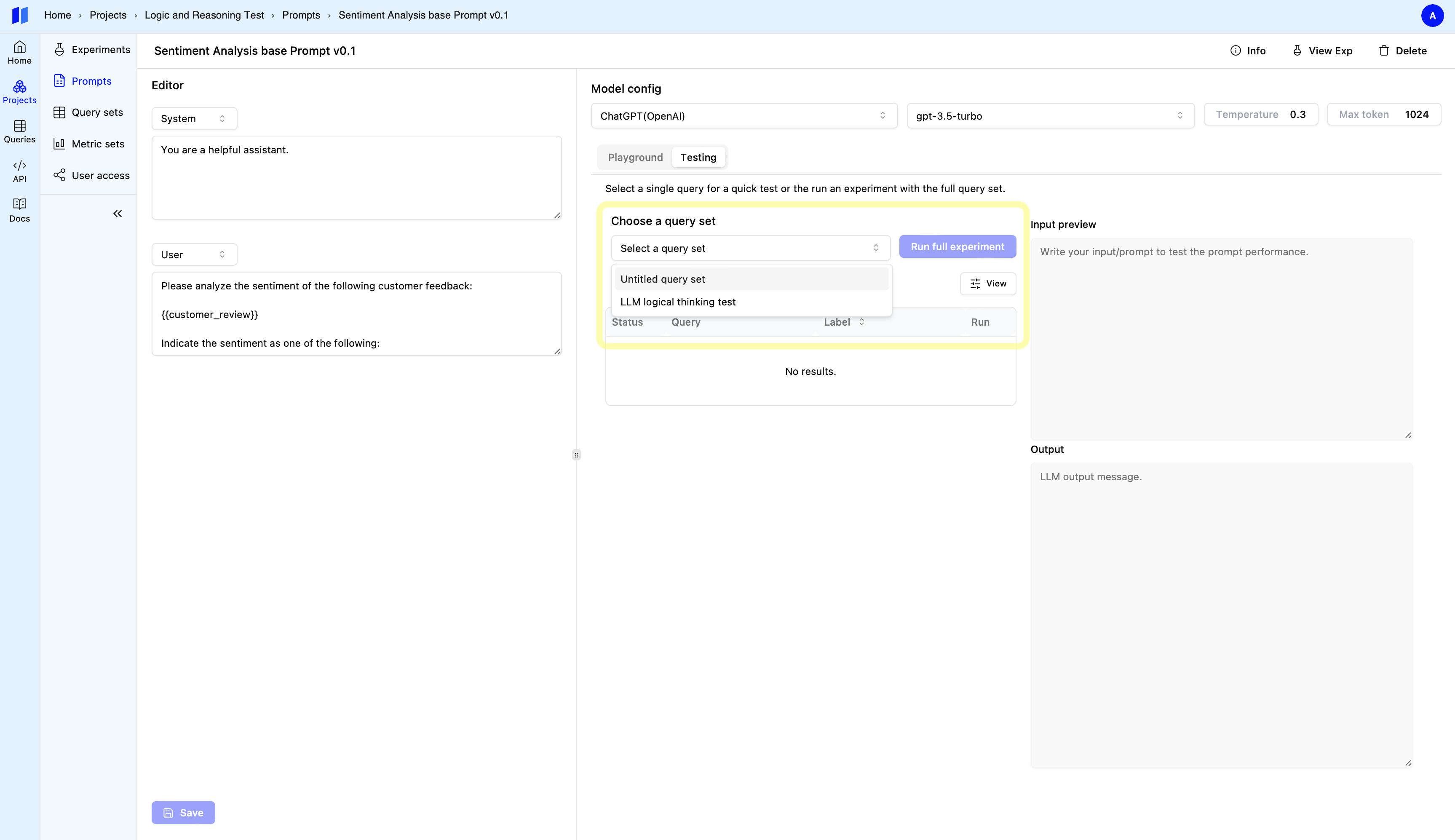
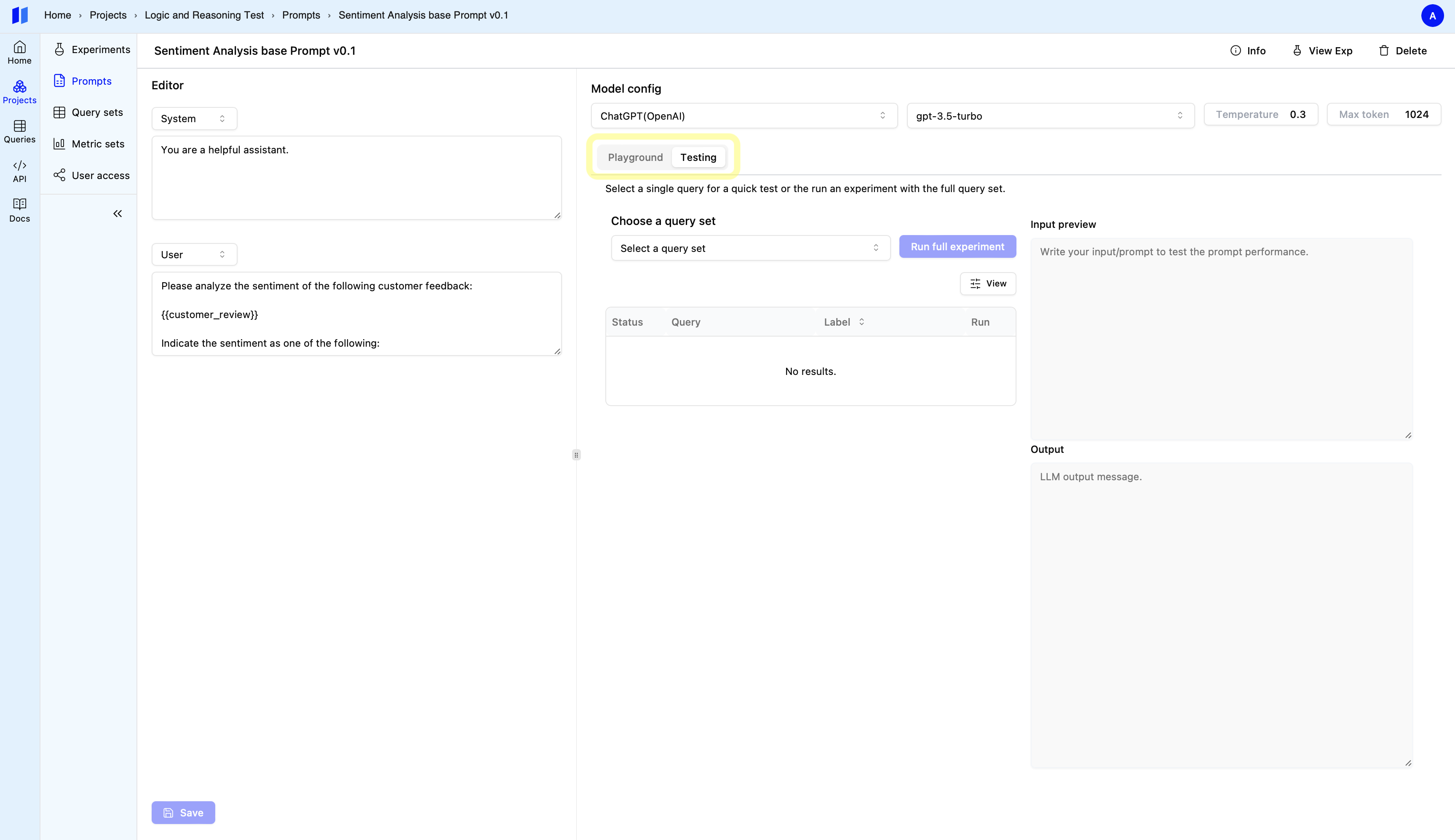 ### Step 2: select a testing query set ( recommend size: 2-10 queries )
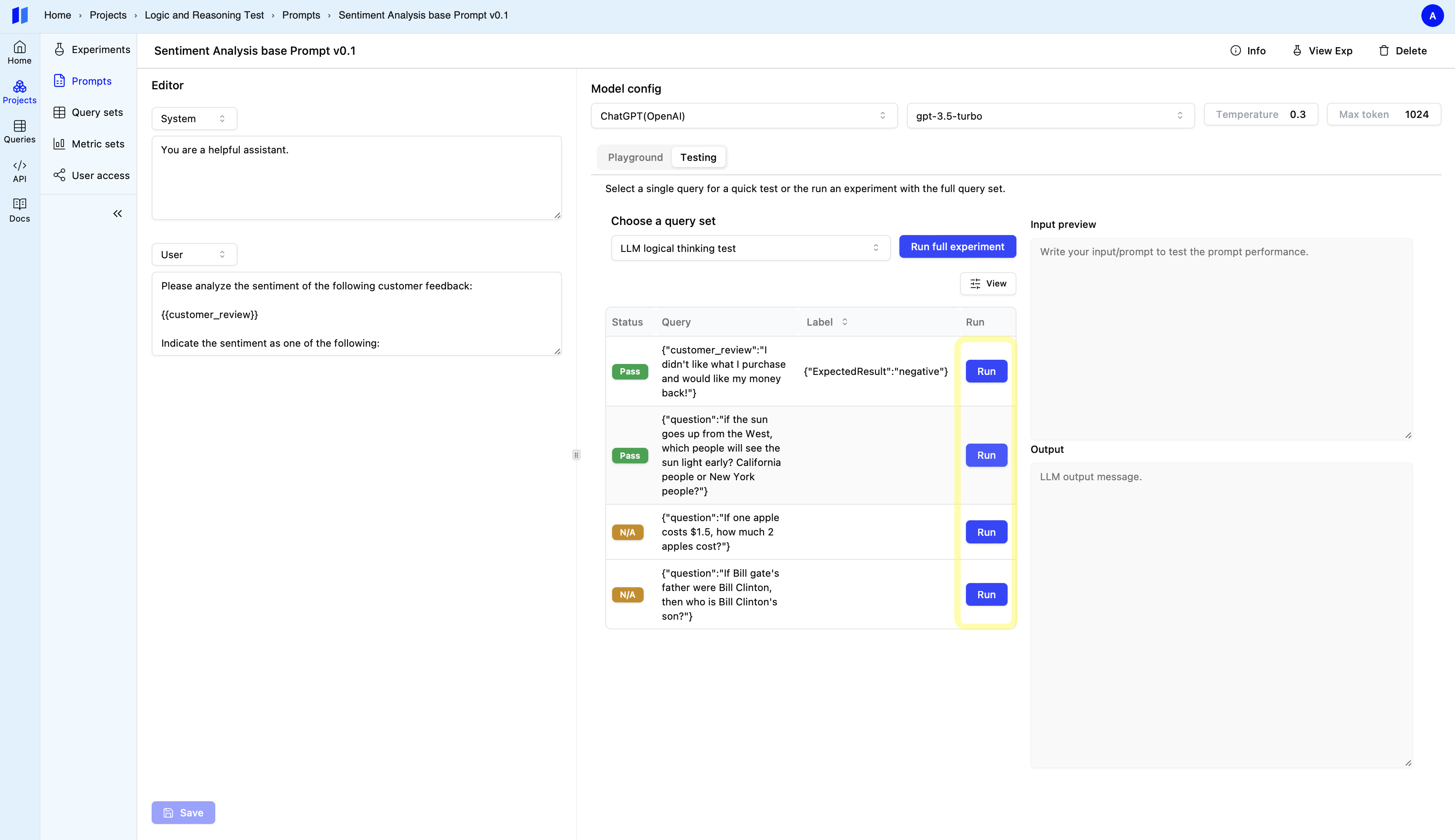
 ### Step 3: Single query rapid test (Optional)
Get a quick preview by clicking the `Run` button next to a query.
### Step 3: Single query rapid test (Optional)
Get a quick preview by clicking the `Run` button next to a query.
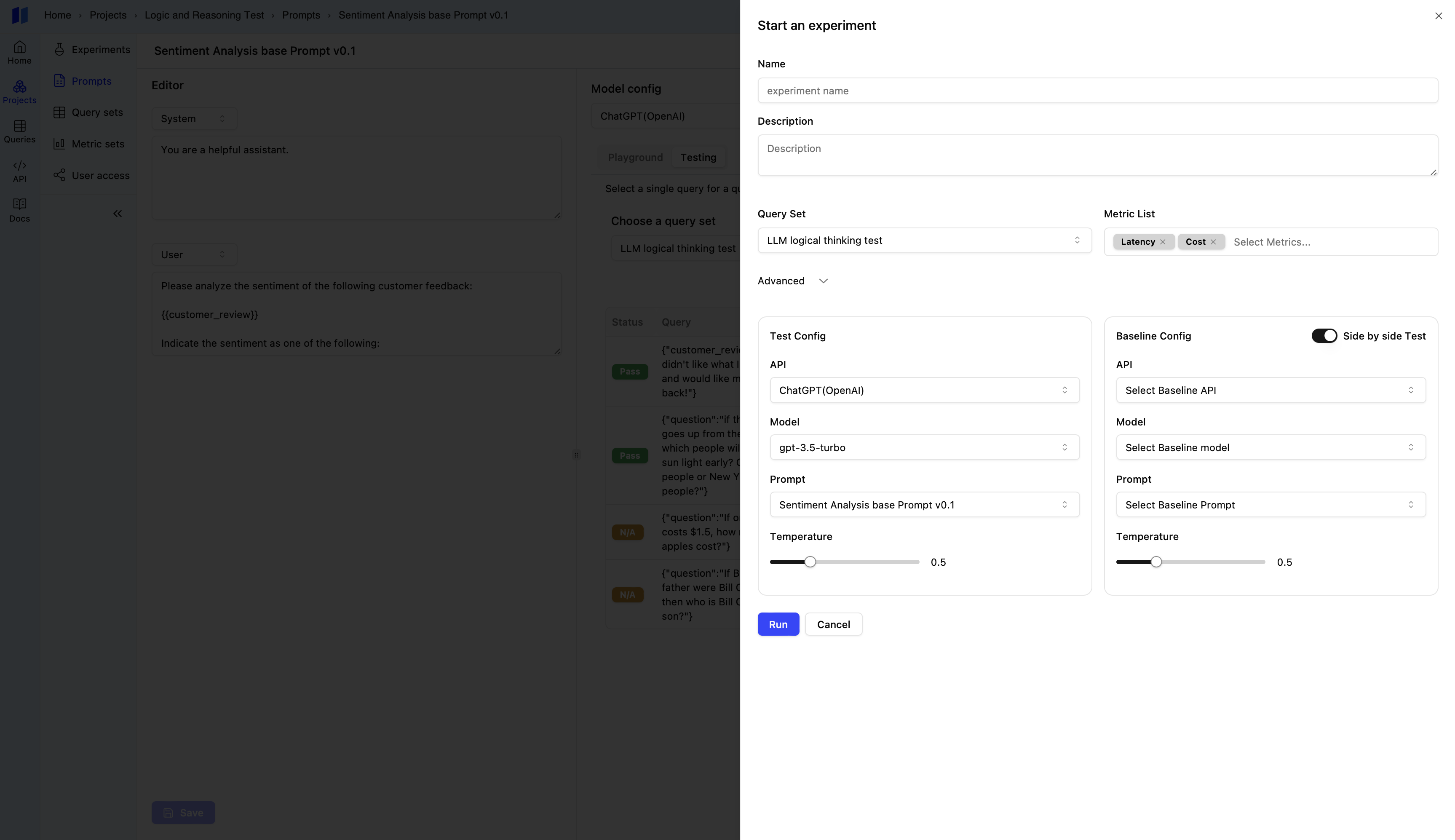
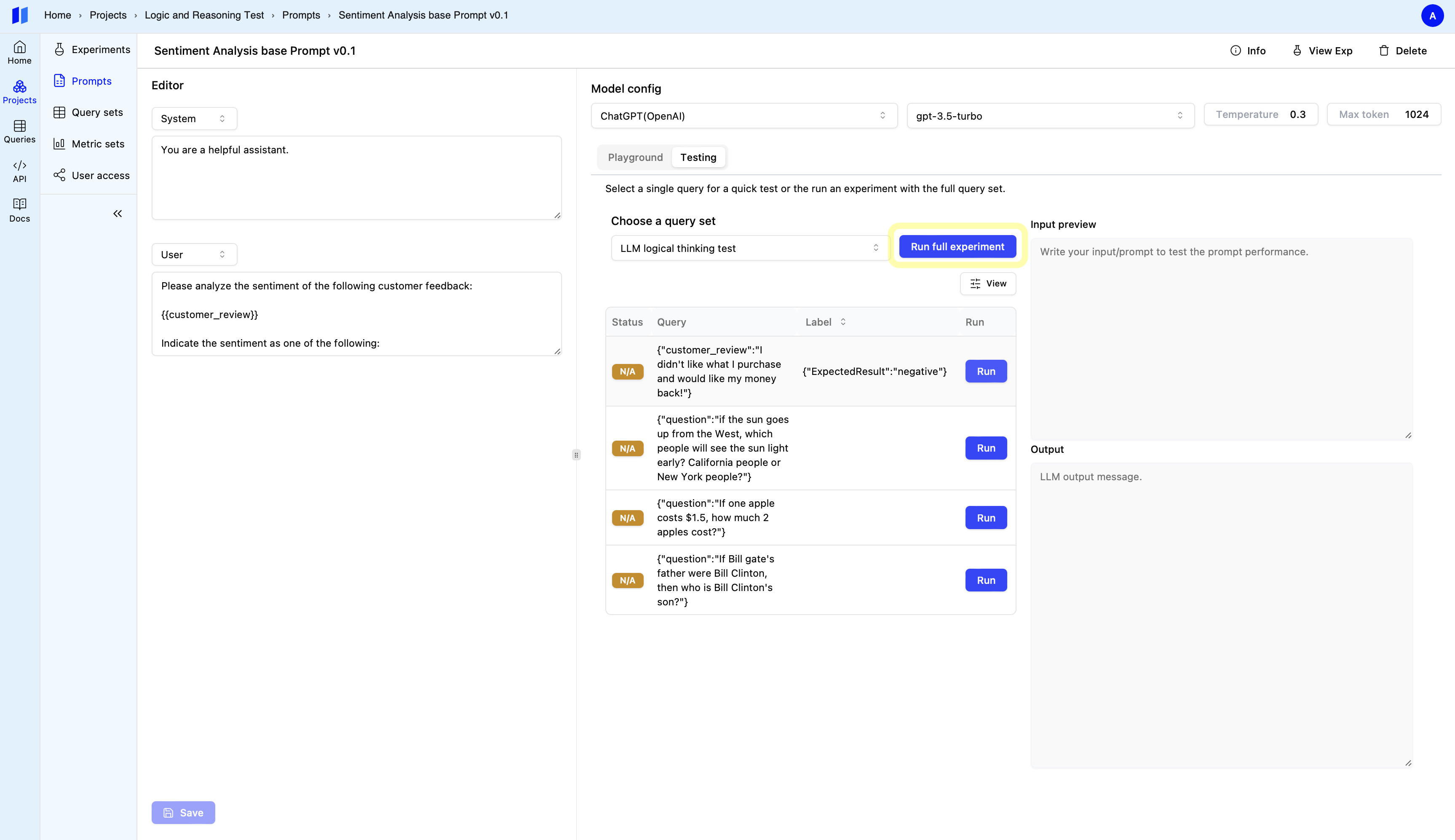
 ### Step 4: Set up an Experiment
Click the `Run full experiment` button next to set up the experiment.
### Step 4: Set up an Experiment
Click the `Run full experiment` button next to set up the experiment.
 * **Single Test:** To test your selected model and prompt, simply click the "Run"
button.
* **Single Test:** To test your selected model and prompt, simply click the "Run"
button.
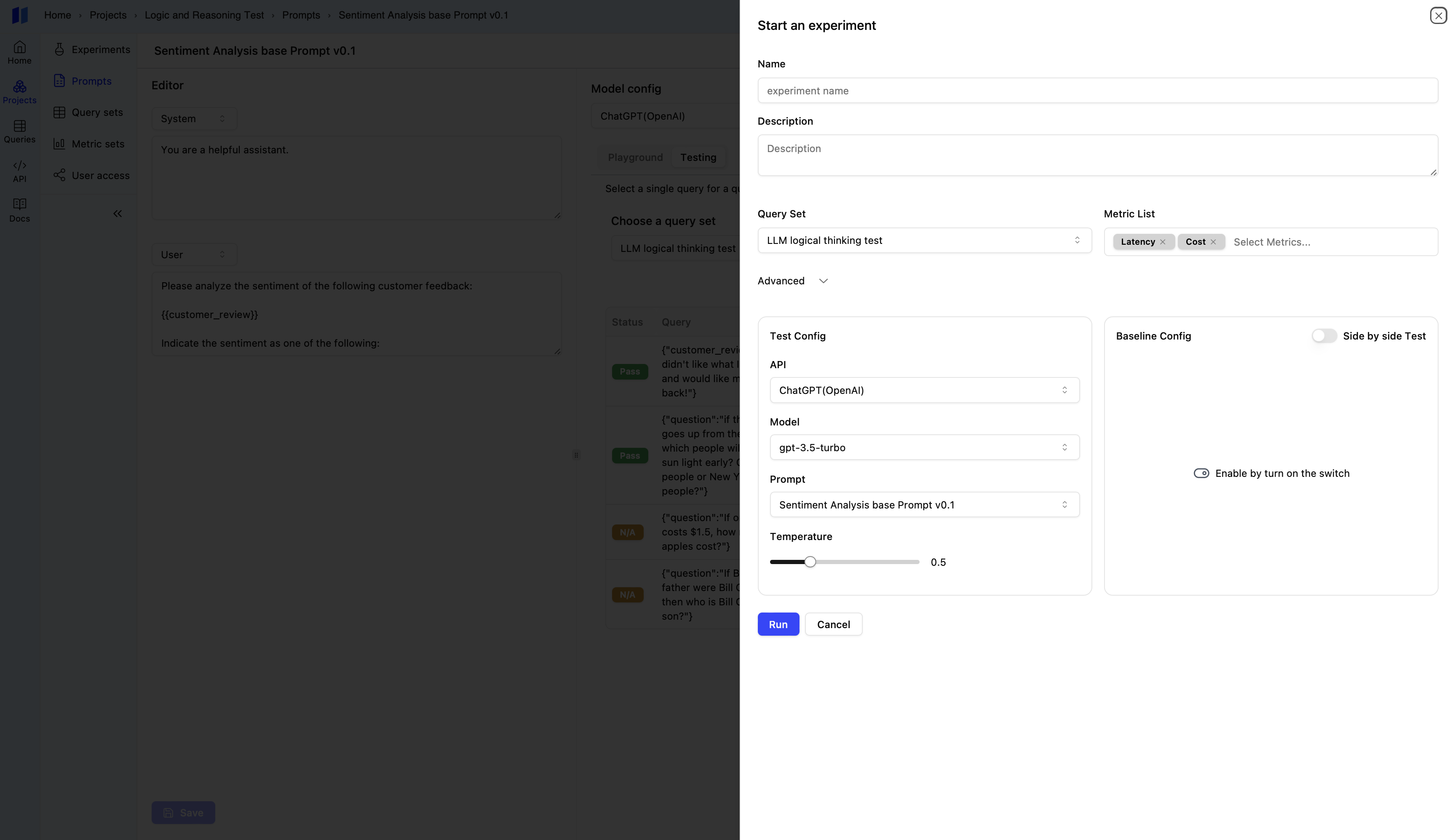 {" "}
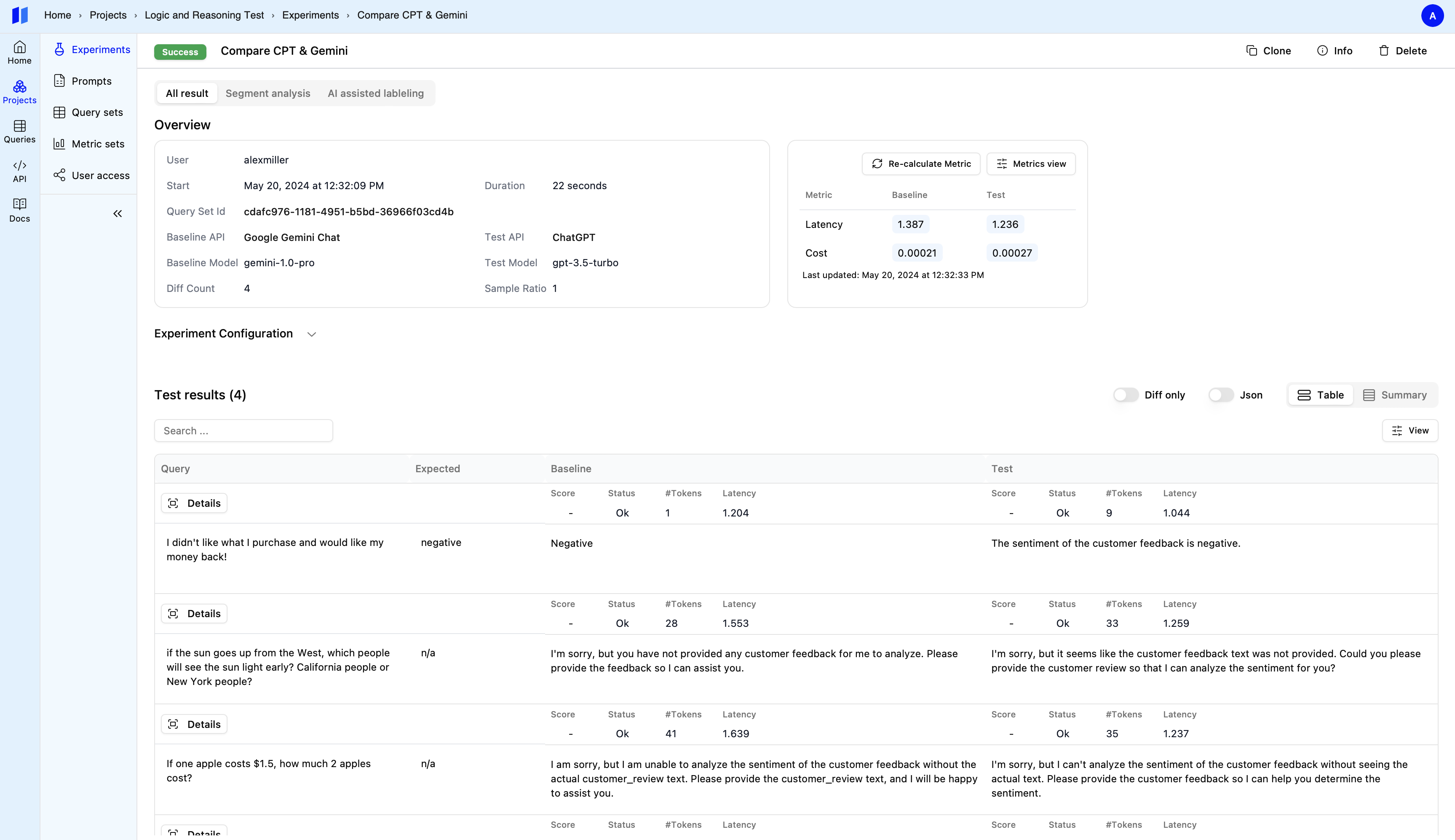
* **SxS Test:** - Toggle on the `Side by Side Test` switch - Configure the `Baseline
Config` section. Choose an alternative AI model or prompt variation to compare against
your primary configuration. - Click `Run` to initiate the SxS experiment. A new experiment
will be created and run in a separate tab, allowing you to compare the performance
of your two configurations side-by-side.
{" "}
* **SxS Test:** - Toggle on the `Side by Side Test` switch - Configure the `Baseline
Config` section. Choose an alternative AI model or prompt variation to compare against
your primary configuration. - Click `Run` to initiate the SxS experiment. A new experiment
will be created and run in a separate tab, allowing you to compare the performance
of your two configurations side-by-side.