> ## Documentation Index
> Fetch the complete documentation index at: https://docs.snowbell.ai/llms.txt
> Use this file to discover all available pages before exploring further.

# 2 Organize your work with projects

### Step 1: Navigate to Projects

Once you've configured the APIs settings, click "Projects" in the left navigation bar.
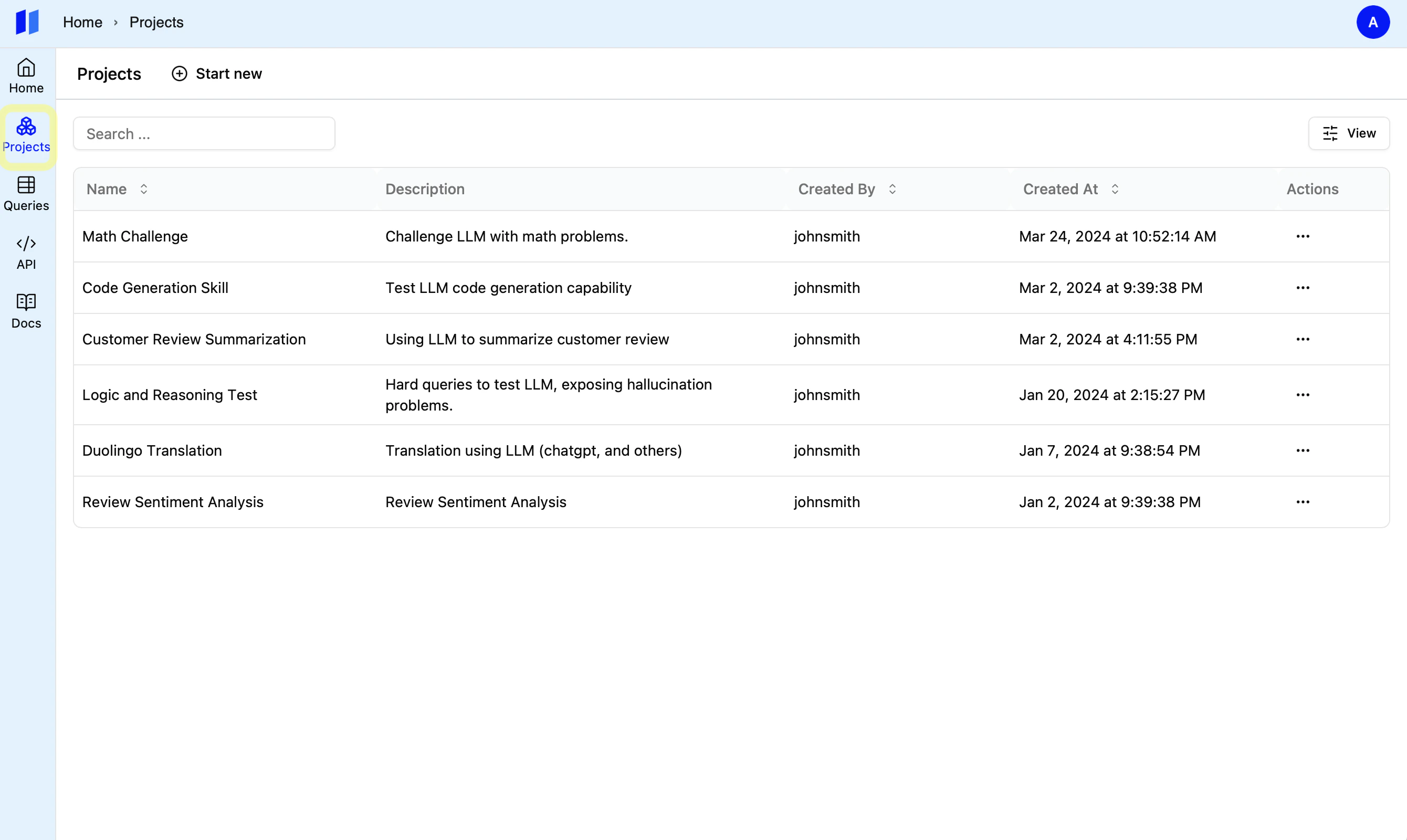
<img style={{ borderRadius: "0.5rem", border: "1px solid #E5E5E5" }} className="border-1 border-gray-600" src="https://mintcdn.com/snowbell-84/IqD-ZrpFGnQx3zFS/images/setup/project1.png?fit=max&auto=format&n=IqD-ZrpFGnQx3zFS&q=85&s=ac92c946b9b18f8c251ae18d55c023a4" width="2680" height="1600" data-path="images/setup/project1.png" />

### Step 2: Create a New Project

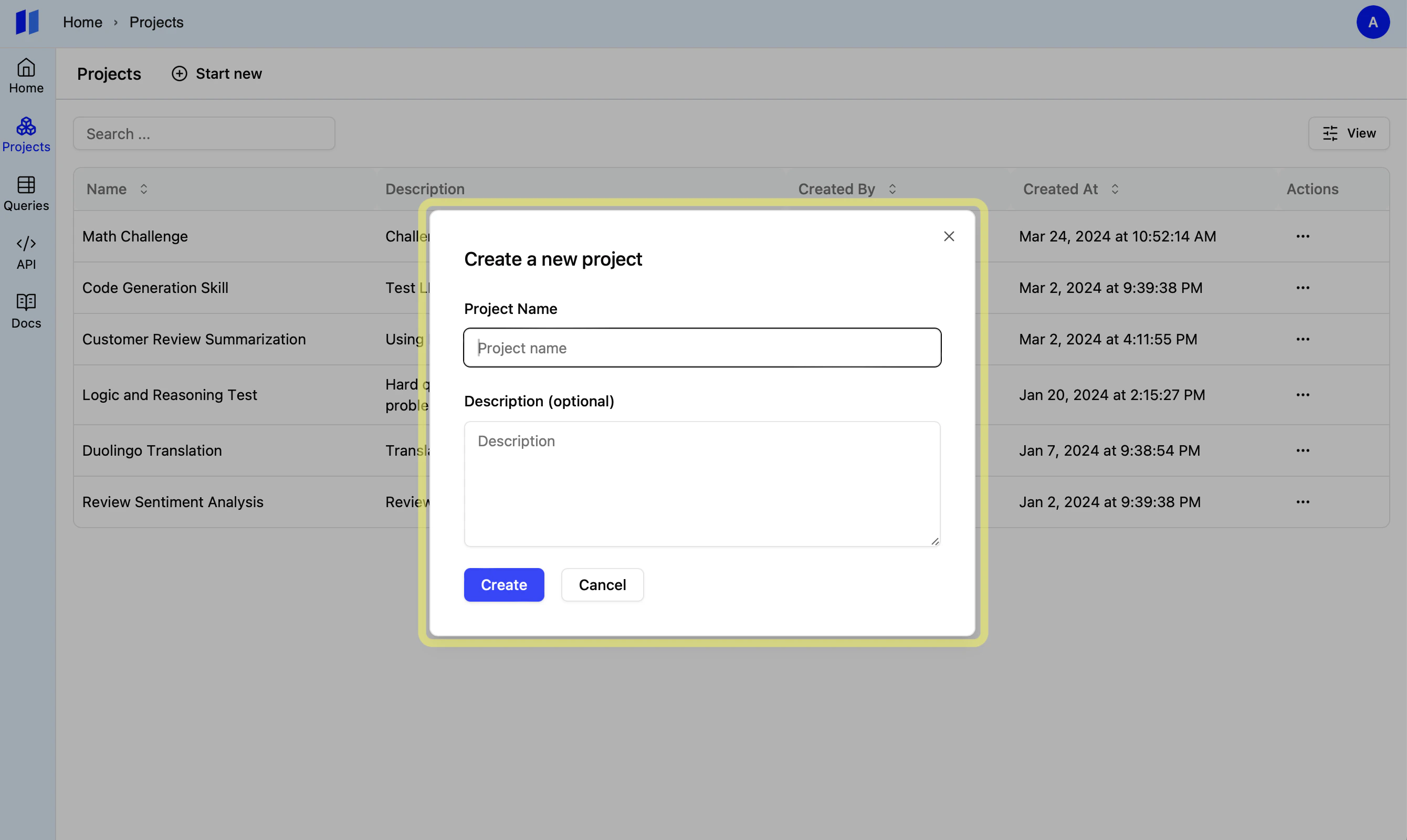
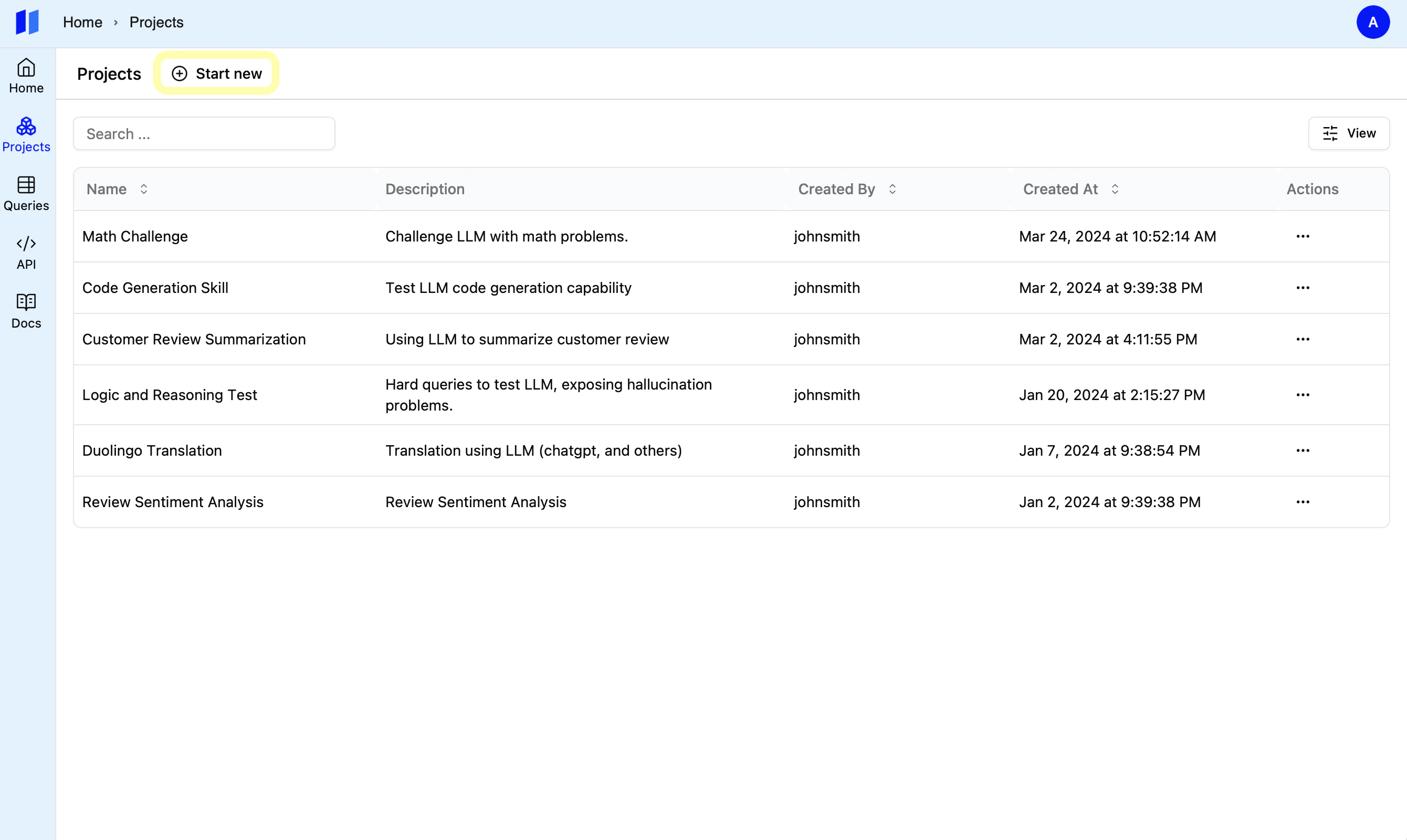
Click the `Start New` button to get started.

<Tip>
  Create a different project for each of your use cases to keep things organized
  and focused.
</Tip>

<img style={{ borderRadius: "0.5rem" , border: "1px solid #E5E5E5"}} src="https://mintcdn.com/snowbell-84/IqD-ZrpFGnQx3zFS/images/setup/project2.png?fit=max&auto=format&n=IqD-ZrpFGnQx3zFS&q=85&s=bfca1e33e3c15212a91eb6c4073ae7f8" width="2680" height="1600" data-path="images/setup/project2.png" />

<img style={{ borderRadius: "0.5rem" , border: "1px solid #E5E5E5"}} src="https://mintcdn.com/snowbell-84/IqD-ZrpFGnQx3zFS/images/setup/project3.png?fit=max&auto=format&n=IqD-ZrpFGnQx3zFS&q=85&s=0ca4a31aaa8fc0c4772b0d1e00f9ea1a" width="2680" height="1600" data-path="images/setup/project3.png" />